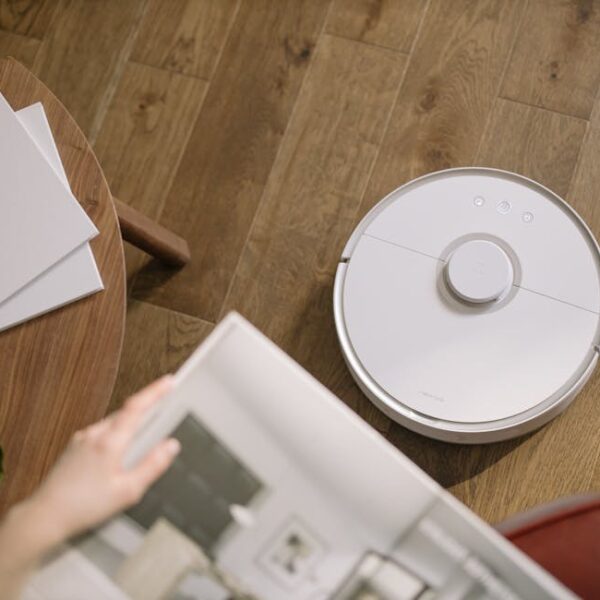

When you’re smart enough to invest in a Shark robot vacuum cleaner, you truly understand the meaning of convenience. The Shark BotBoundary strips add a layer of control to this convenience by helping you delineate your robot’s cleaning path, ensuring it avoids areas you’d rather it didn’t venture into. These strips are essentially magnetic markers that your Shark robot vacuum acknowledges, effectively steering clear of. You can utilize BotBoundary strips on a variety of surfaces like carpets, tiles, hardwood and essentially any other place you place your vacuum cleaner. It’s an accessory every Shark robot vacuum owner shouldn’t be without.
Understanding the Purpose of Shark BotBoundary Strips
The Shark BotBoundary strips serve essentially two main purposes – control and protection. Acting as invisible fences, they control the cleaning path of your Shark robot vacuum, making sure it doesn’t veer into specific areas such as pet bowls, expensive carpets, or play areas. They also offer the necessary protection to your Shark robot by preventing it from tumbling off stairs or ledges. These strips are versatile and work effectively on numerous types of surfaces including carpets, hard floors, and tiles. Key features include:
- Direct control over the cleaning path of your robot.
- Protection for the device itself.
- Multisurface compatibility.
- Robustly Designed for durability and longevity.
Preparation Before Setting up Shark BotBoundary Strips
As with any setup, preparation is critical. Start by ensuring the floor area you plan to place the strip on is clean and dry. Check to confirm that the strips are straight and devoid of any loops or twists, which can affect the performance. When positioning these strips, leave around one and a half feet of free space around them. This makes sure that your Shark robot vacuum has enough room to maneuver effectively around these markers. Here’s a recap of the setup preparation steps:
- Clean the desired BotBoundary strip placement area.
- Check and straighten the BotBoundary strip.
- Leave approximately 1.5 feet of space around the strip placement.
Pro tip: ⚙️ Plan the strip locations carefully, considering movement around the house to avoid stumbling over them.
Step-by-Step Guide to Set Up Shark BotBoundary Strips
After preparing the necessary groundwork, it’s time to get down to business – placing and setting up the BotBoundary strips. Start by measuring the dimension of the area you want to set the boundaries for. Cut the strip according to the length – avoid stretching to fit. Unravel the strip and place it flat on the floor along the desired line. Sync the strips with your Shark robot and watch as it recognizes the new boundaries. Below are the clear do’s and don’ts:
| Do | Don’t |
|---|---|
| Measure the area before cutting the strip | Stretch the strip to fit the area |
| Lay the strip flat on the floor | Leave any loops or twists in the strip |
Maintaining and Preserving Shark BotBoundary Strips
Maintaining your BotBoundary strips is paramount to their longevity and ability to function correctly. Regularly clean the strips with a soft, damp cloth and store in a flat position, not coiled, to avoid any damage. If the tape on the strips loses its grip, it can be re-applied using a suitable double-sided tape. However, make sure it holds securely to the floor. Regular strip maintenance means:
- Cleaning with a damp cloth periodically.
- Storing flat when not in use.
- Reapplying with double-sided tape if required.
Troubleshooting Common Issues with Shark BotBoundary Strips
Despite your best measures, you may still encounter issues with your BotBoundary strips. Common problems include loss of stickiness, failure to block off the robot, or twists and warps in the strip. These issues are generally fixable at home yourself. However, if you notice consistent failure in strip recognition by your Shark robot vacuum, it may be advisable to seek professional help or contact Customer Service. Here’s a quick pros and cons comparison of Self-Troubleshooting and seeking Professional Help:
| Self-Troubleshooting | Professional Help |
|---|---|
| Cost-efficient | Better equipped to identify and solve issues |
| Convenient | Guaranteed solution |
| Limits warranty voiding | No effort on your part apart from scheduling |
How to Use Shark BotBoundary Strips (Easy Setup Guide)
Understanding the Purpose of Shark BotBoundary Strips
Shark BotBoundary strips are handy tools designed to control the movement of your Shark robot vacuum cleaner. When placed correctly, these strips create invisible barriers to prevent the vacuum from entering specific zones in your home.
They come into the picture when you want your Shark vacuum to avoid certain areas like pet food area, kid’s play zone, amongst others. They are designed to work well on multiple types of surfaces, localizing your Shark robot vacuum effectively, be it on hardwood, tiles, or carpet.
Here are some key features of BotBoundary strips:
- Effective control of robot vacuum’s path
- Easily customizable length
- Non-intrusive and subtle design
- Simple setting up process
- Applicability across multiple types of surfaces
Preparation Before Setting up Shark BotBoundary Strips
The setup process of the BotBoundary strips begins well before you lay them on the floor. Ensure your floor is clean and free of any dust or loose particles that might come in the way of people’s movement.
Align the strips correctly without any twists or loops. Remember to leave some space around the BotBoundary strips for them to work optimally.
Here’s a kickoff checklist:
- Clean and dry surface
- Check for any obstructions
- Ensure the strips are straight and not twisted
- Leave a bit of space around the strips
Step-by-Step Guide to Set Up Shark BotBoundary Strips
First, measure the boundary strip to fit the area you want the vacuum to avoid. They can be easily cut to the required size, then place the strip flat on the area that you want to set aside as the no-go zone for your Shark vacuum.
Align your Shark vacuum to recognize and respect these boundaries. You might need to sync your vacuum with the new setup.
Here’s your do’s and don’ts guide:
| Do | Don’t |
|---|---|
| — | — |
| Use a straight line for boundary | Don’t twist or loop strips |
| Place firmly on the ground | Don’t place the strips on uneven surfaces |
| Sync the robot vacuums | Don’t forget to update the settings |
Maintaining and Preserving Shark BotBoundary Strips
BotBoundary strips require some maintenance to ensure their longevity. Keep them clean and store them safely when not in use. If they peel off or get damaged, reapply them to work effectively.
Here’s a maintenance checklist:
- Clean it regularly
- Store in dry and clean conditions
- Reapply the strips when needed
Troubleshooting Common Issues with Shark BotBoundary Strips
At times, you may come across problems like the robot vacuum not recognizing the boundary or the strips not sticking well to the flow. Understanding these issues can save you time and unnecessary frustration.
Let’s explore the solutions to some common problems.
- Robot vacuum not recognizing the boundary: Ensure the strip is well connected and synced with the vacuum.
- Strip not sticking to the floor: Check if the floor is clean and dry before application.
- Continuous malfunctioning: Reach out for professional help or engage customer service.
Consider the pros and cons of self-troubleshooting against professional help:
| Pros | Cons |
|---|---|
| — | — |
| Quick solution | May temporarily solve the issue |
| No additional cost | Might require technical expertise |
| DIY learning experience | Risk of further damage if not done correctly |
Key Takeaway:
- The Shark BotBoundary strips serve the purpose of controlling and directing the cleaning path of Shark robot vacuum cleaners. They effectively act as invisible barriers for the vacuum, preventing it from entering specific areas.
- Preparation before setting up the strips is crucial, including ensuring the surface is clean and the strips are straight and untwisted.
- The strips are easy to set up; they are measured and cut to fit the necessary area, then placed flat on the floor and synced with the robot vacuum.
- Maintenance of the strips is required for longevity; they should be routinely cleaned and stored flat when not in use.
- Although some issues might arise, such as loss of stickiness or failure of the robot to recognize the strips, these problems are generally fixable at home. However, if persistent issues arise, professional help may be needed.
Enduring the minor challenges associated with the setup and maintenance of the Shark BotBoundary strips pays off in the end. Proper use and care for these strips amplify the efficiency of your Shark robot vacuum, allowing you to make the most of this technologically advanced cleaning companion that makes housekeeping a breeze. Rest assured, investing time in these strips will elevate your experience of a clean and well-maintained living space.
FAQs
Q: Are Shark BotBoundary strips compatible with other robot vacuum brands?
A: No, the BotBoundary strips are specifically designed to work with Shark robot vacuum cleaners and may not work correctly with other brands.
Q: Can the BotBoundary strips be used on carpets?
A: Yes, BotBoundary strips can be used on a variety of surfaces including carpets, tiles, and hard floors.
Q: Do the strips cause any damage or leave residue on the floors?
A: No, the strips are designed to be easily removable without leaving any residues or causing any damages to the floor.
Q: Can I cut the strips to fit a specific area?
A: Yes, the strips can be easily measured and cut to fit the desired area where you want to restrict the cleaning path of the Shark robot vacuum.
Q: What should I do if the robot vacuum doesn’t recognize the BotBoundary strips?
A: Check the setup and sync of the strips with your Shark Robot vacuum. Make sure the strips are flat on the floor and aren’t twisted. If the problem persists, considering seeking professional help or contact Customer Service.
Encourage your readers to share this article and invite them to explore more posts on your website.